What Sonic Alchemist is
There’s no shortcut to creativity. This is a modular instrument for accessing sounds in your own libraries faster, without surrendering a decision. You search, draw, route, and decide; it follows your patch and places your sounds to picture by fixed mathematical rules. It invents nothing and decides nothing. Everything below is how it works.
Trace — light and motion as control signals
Trace measures the brightness and movement in your picture and turns them into curves. You set a threshold; peaks become points you assign yourself — place sounds at them, or convert the motion curve into automation for a background. This is deterministic maths — pixel comparison and optical flow, techniques that have existed for decades — not AI vision. It doesn’t recognise or label anything on screen, and makes no claim to. I just found that light and motion often mark moments where sound wants to happen. You decide what every signal is for. It also imports your Pro Tools markers — name a marker “metal impact” and it carries that through.
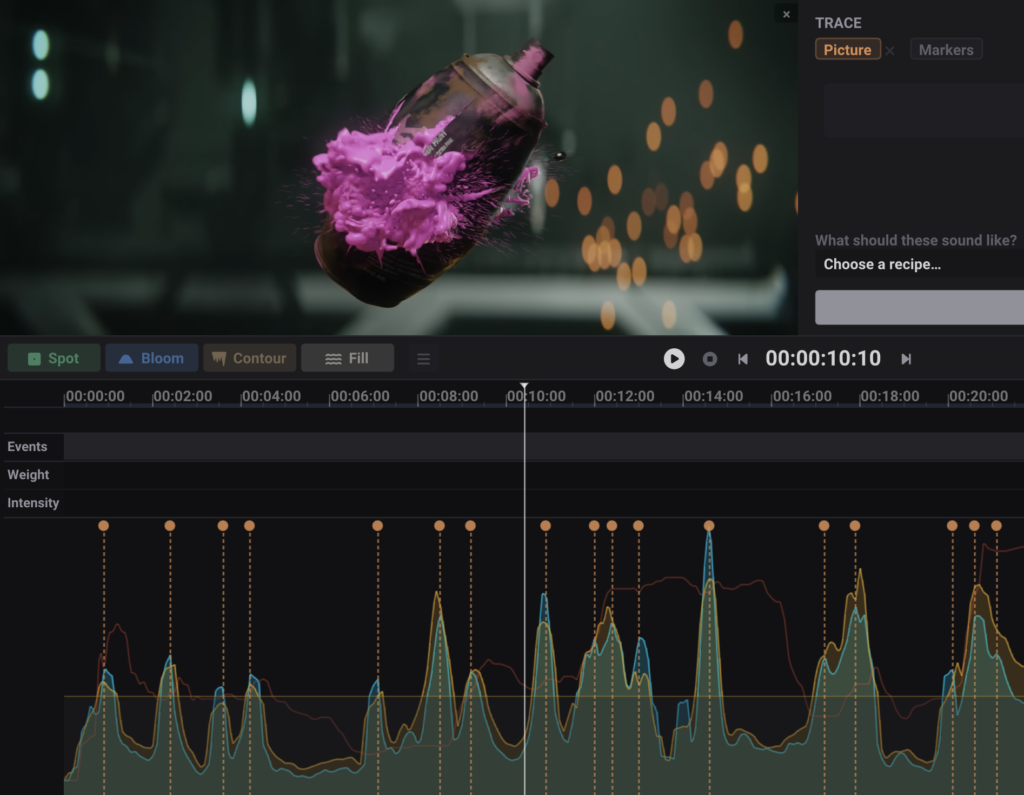
Draw your control curves
You draw two curves over time: Weight, the spectral balance from Sub to Air, and Intensity, the energy. You specify the shape; it places sounds from your library along it. You can also work by Weight alone, with no keywords — call for a heavy low impact and a light top and layer them in seconds, without searching by name. You direct the result, pull several variations of a moment, and keep the one you want.
Build layered sound from your own library
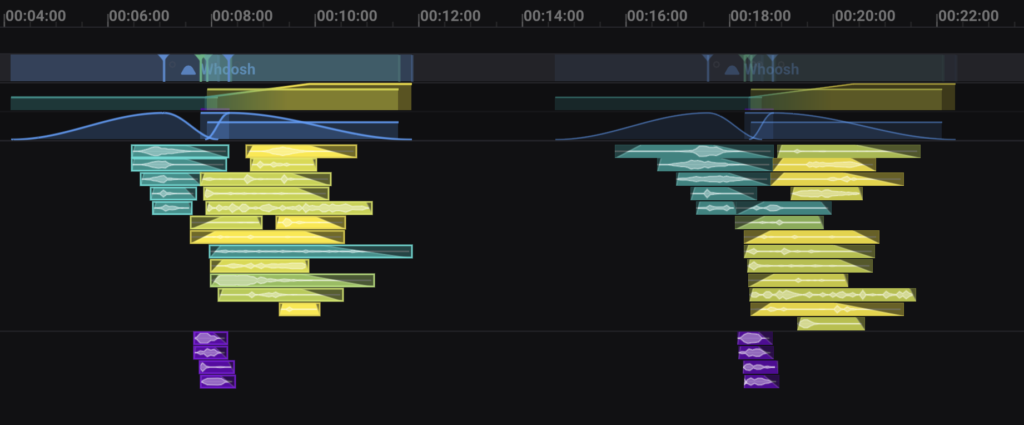
You specify what a moment should be, and matching sounds from your collection are layered along your curve, placed on the frame. Because every file is indexed by spectral character, overlapping layers are spaced by placement and level so they don’t clash — without EQ or processing. This spectral spacing is non-destructive and carries into your DAW as clip gain and automation; you’d hear the difference if it weren’t there. No auditioning and dragging files one at a time — a layered result from your own sounds, which you then shape.
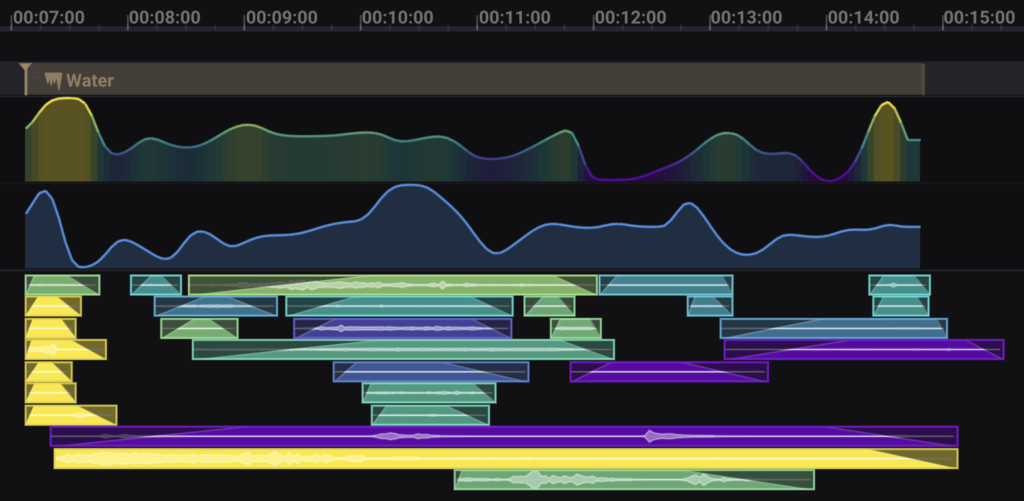
Continuous track layout
You never lay out a track or draw a fade. My custom C++ algorithm builds the right number of tracks and spaces every region so nothing overlaps, in real time, as you work. The mechanical bookkeeping of sound editing — dragging to a spare track so you don’t overwrite what’s there, trimming, fading, adding tracks when you run out — done by fixed rules, never by judgement.
Search your library by character
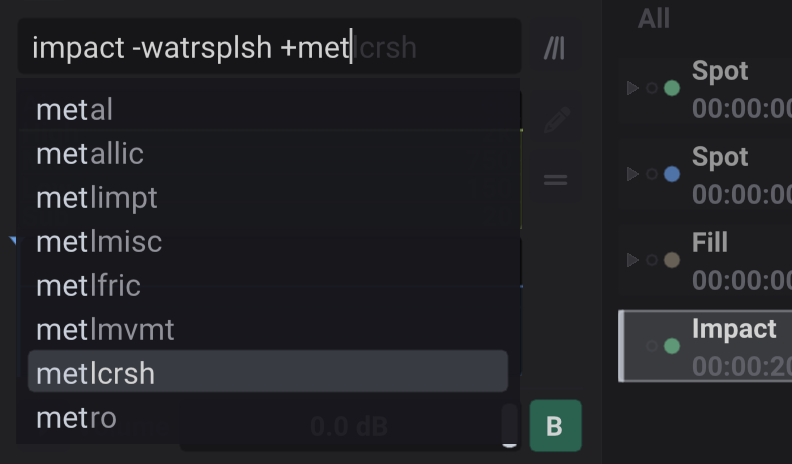
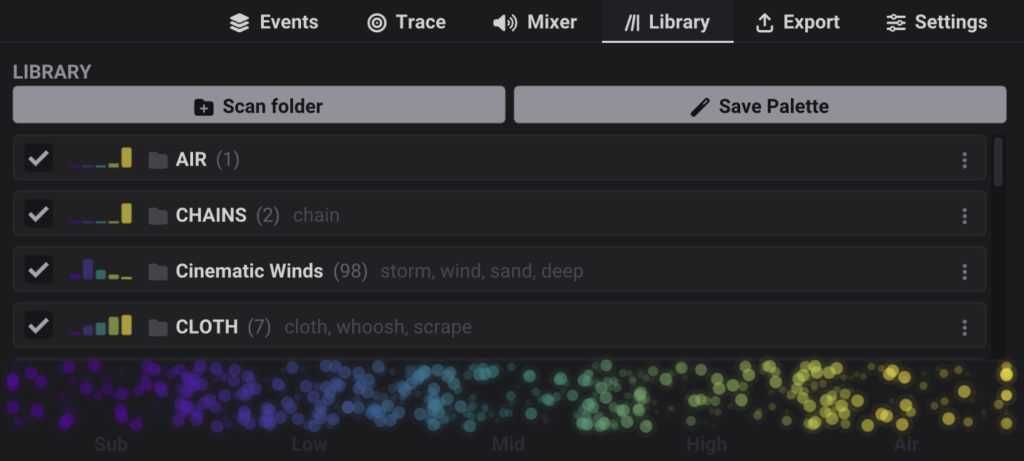
Point it at your folders and it indexes every file by spectral character — weight, contrast, gravity, tone — not just filenames or metadata. You search by how a sound actually sounds, not by remembering what you named it. Keyword search with auto-complete and include/exclude operators works alongside your existing UCS metadata. Think of it as an evolution of the SFX search engine — one that takes gestures as input, searches by character, then builds by rules you define.
Fill and Scenes — backgrounds that follow your structure
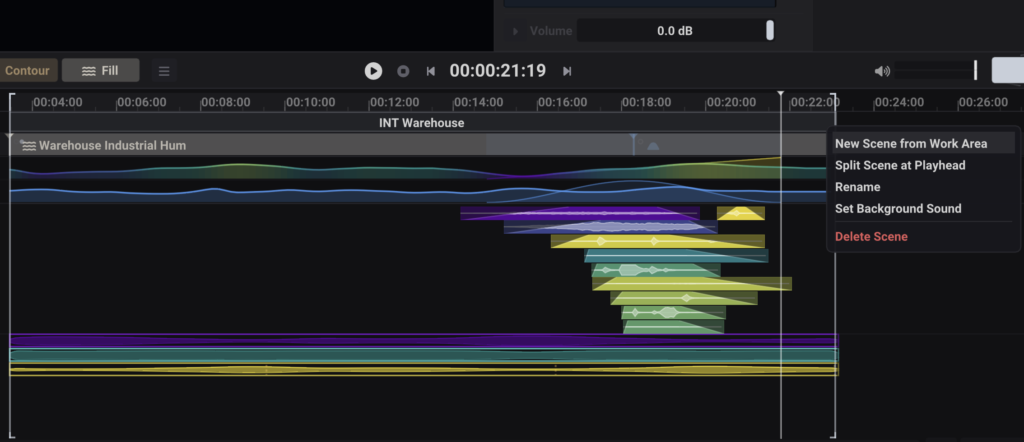
Use Fill to lay out ambiences and beds that never audibly repeat, for any length of scene, from your sounds. It chops, shuffles, and crossfades your audio so it never feels looped — and you keep full control to adjust the fades in Pro Tools afterwards. With Scenes, you mark out your scenes — interior, exterior, forest, street — and each gets its own non-looping background that fills its duration and re-conforms when the cut changes. You lay out the scenes; the crossfading and conforming across the reel follows your structure.
Reusable signature across a project
Save a single sound as a Recipe, a linked group as a Chain, or a taste-filtered set as a Palette. Reuse a location’s or character’s sound consistently across scenes and episodes — rebuilt from your library each time, never copy-pasted.sted.
Built-in reverb
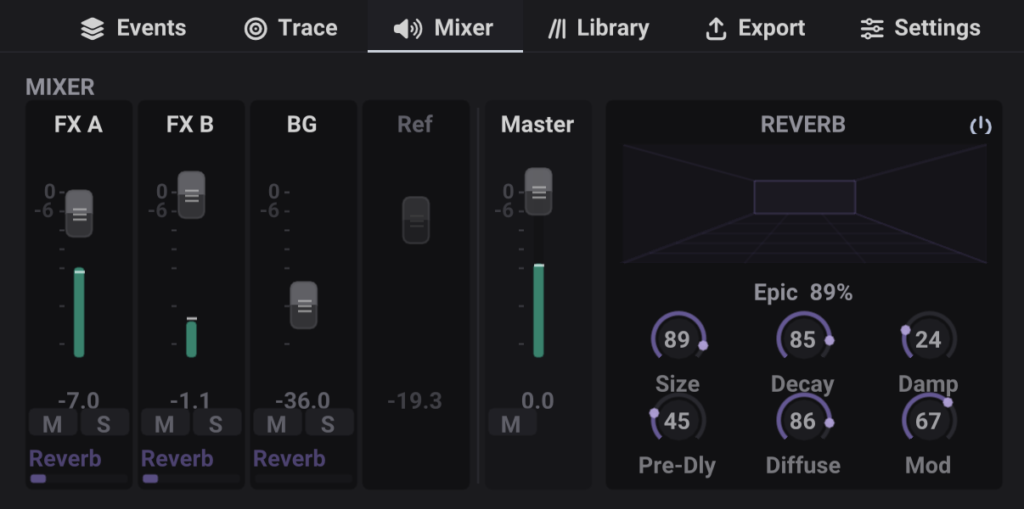
An algorithmic reverb is built in, and it renders as its own stem in WAV or AAF. It arrives in your DAW as a separate, usable element — not baked in — so you keep control of the space in your mix.
AAF with fades, clip gain, automation and markers
A complete AAF — fades, clip gain, markers, and volume automation — into Pro Tools or any software that reads AAF. Or timestamped WAV: mixdown, stems, or individual files. It writes only non-destructive automation, clip gain, and fades — nothing else. Your source stays untouched, dropping into your chain as an unfinished pass for sound editors, Foley, dialogue, and the mix.
No bundled sounds — you bring your own. Clean C++ maths, a handful of megabytes. No model, no training data, nothing scraped from anyone’s work. Built by one working re-recording mixer. For macOS and Windows. No dongle. Perpetual.