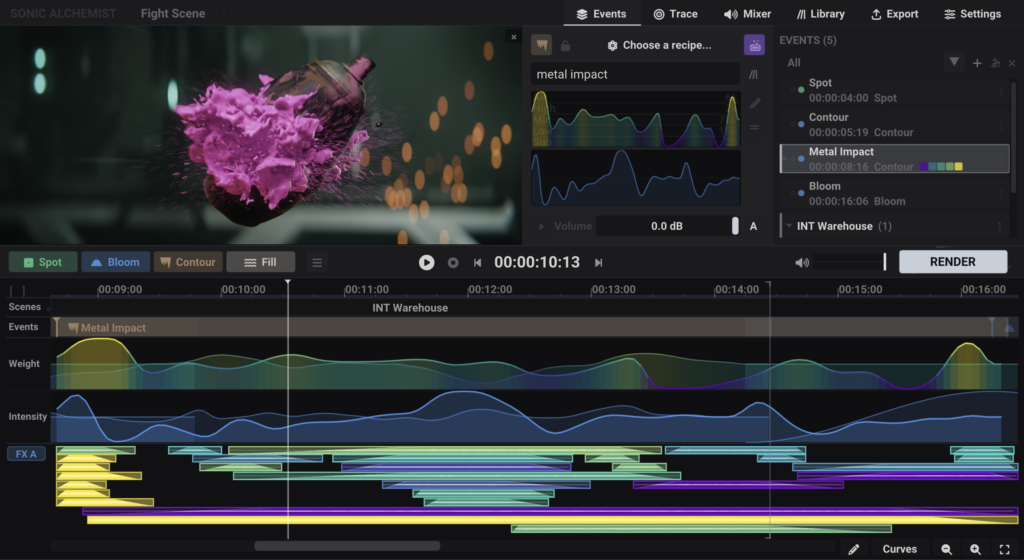
A normal DAW gives you an empty timeline to fill one file at a time: search, audition, import, place, layer, fade, repeat. Sonic Alchemist keeps the timeline and replaces that method.
You express what you want as signals — curves you draw for weight and energy, spectral targets, brightness and motion off the picture. The matches come from your own files, assembled to frame. You're not searching for an audio file; you're retrieving a built event.
No more dragging files to a spare track, trimming, fading, adding tracks when you run out, policing overlaps. That bookkeeping is gone — handled non-destructively, as you work.
You keep a DAW's total control over your own material, reached through gesture and spectral intent. Then you export an AAF to mix in your DAW.
What it is not
Nothing is guessed. Nothing is suggested. Every combination is your specification, from your own library.
It doesn't generate sound. Every sample that comes out went in — your files, untouched.
It isn't trained on anything. No model, no dataset. Deterministic C++ maths running on your machine, on your files. Nothing to mine, because nothing is learning.
It doesn't recognise your picture. It measures brightness and motion — plain maths that's existed for decades — and hands you curves. You decide what they mean.
It doesn't finish the work. It produces professional, non-destructive source that feeds your real chain — your editing, your Foley, your mix. It replaces no stage of it.
15MB. No bundled sounds. You bring your own.
How it works
Load your picture — or work without it.
The playhead follows the picture as you draw. Working one scene? Offset the video to your timeline's timecode and everything you make is stamped to it — BWAV, AAF, all of it lands where it belongs.
Place your events.
Mark them yourself, or read brightness and motion off the picture and turn peaks into markers you assign. You review everything.
Specify the sound.
Draw weight and intensity, set spectral character, type keywords with include/exclude — or any combination. This is where your intent lives.
Retrieve a built combination.
Matching sounds from your library, placed and layered to frame, tracks assigned and fades written automatically — a built event, not a single file.
Build backgrounds and whole scenes.
Fill assembles ambiences and beds that never audibly repeat, for any length of scene, from your own sounds — chopped, shuffled, and crossfaded so it never loops. Mark out your scenes and each gets its own background, locked to the scene's dimensions, with crossfades and overlaps between them handled. Draw a curve to transition between heavy and light layers across a scene, in sync with the picture.
Save and reuse.
Save any combination as a chain of events and drop it in again across scenes and projects — your building blocks, rebuilt fresh each time, never copy-pasted.
Export to your DAW.
A complete AAF — non-destructive automation, clip gain, fades, markers, track layout — into Pro Tools, Nuendo, or any editing software. Or WAV stems.
About.
My name is Vytis Puronas. I'm a working re-recording mixer with 20 years in film sound. I built Sonic Alchemist to reach my own libraries a different way. No AI, because there never needed to be.
Winner, Best European Project — San Sebastián IFF 2024.